
Mii Creator Online — Free Mii Maker
Make your own Mii-style character below. Customize every feature, save a PNG and share the settings. Free, with no account.
Make a Mii from a photo
Add a reference beside the preview, then match the face, hair and eyes by hand. Your photo stays on this device and is removed when you leave. This is a manual likeness tool.
Tips for a recognisable likeness1-AAEyAgEAAAAyIDIyAAEyIDIyADIyAAAyMgAAMgABAAAAAAA
Character recipe
Every setting, written out so this face can be rebuilt by hand.
Face
- Shape
- Oval (1)
- Skin Tone
- Light (2)
- Size
- 50
Hair
- Style
- Side Part (3)
- Color
- Dark Brown (2)
- Flip
- No
Eyes
- Type
- Round (1)
- Color
- Dark Brown (1)
- Size
- 50
- Rotation
- 0
- Spacing
- 0
- Height
- 0
Eyebrows
- Type
- Natural (1)
- Color
- Dark Brown (2)
- Size
- 50
- Rotation
- 0
- Spacing
- 0
- Height
- 0
Nose
- Type
- Button (1)
- Size
- 50
- Height
- 0
Mouth
- Type
- Smile (1)
- Color
- Natural (1)
- Size
- 50
- Height
- 0
Details
- Extras
- None
Outfit
- Outfit
- T-Shirt (1)
- Outfit Color
- Violet (1)
- Background
- Lavender (1)
Your Mii creation toolkit
Find a starting point, make it your own, then take the design with you.
Start from a character instead
Open any of these in the creator and change whatever you like. Remixing is the fastest way to learn what each slider does.

Cloud Baker
Round face, permanent smile and flour-dusted cheeks. A good first character to copy because almost every slider stays at its default.
View settings & recreate →
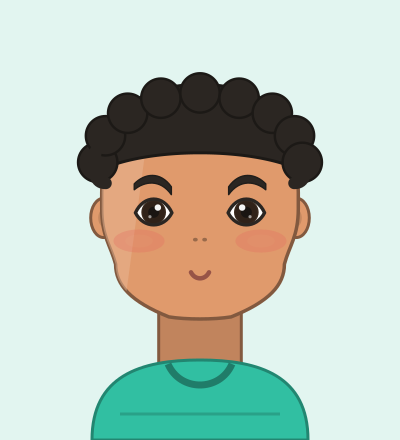
Mint Sweater Kid
A quiet character in an oversized knit. The curly top and small nose do most of the work here.
View settings & recreate →
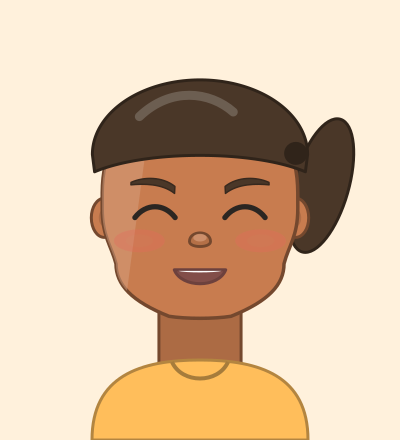
Sunny Neighbour
Closed happy eyes and a wide grin. Handy when you want a character that reads as friendly at thumbnail size.
View settings & recreate →

Pastel Florist
Soft eyes, a rosy mouth and hair the colour of a spring display. The blush slider is doing a lot of the work.
View settings & recreate →
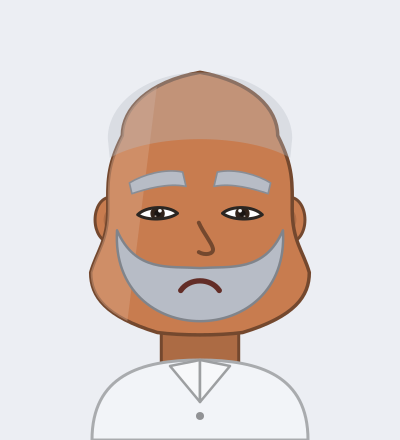
Very Serious Uncle
Bushy brows, a hooked nose and an expression of total disapproval. The angry brow rotation is the whole joke.
View settings & recreate →

Surprised Intern
Caught mid-realisation. Wide eyes raised high on the face plus a round open mouth.
View settings & recreate →

Moustache Enthusiast
One enormous moustache and very little else. Set the facial hair first and build the face around it.
View settings & recreate →

The Schemer
Narrow eyes, a lopsided smirk and eyebrows tilted just far enough to look like a plan is forming.
View settings & recreate →
What this creator does differently
It gives you the settings, not just a picture
Every character produces a full recipe — face shape, hair number, eye rotation, spacing, every colour — plus a numbered walkthrough. That is what you need to rebuild a face somewhere the image cannot go.
Everything stays on your device
There is no account, no upload and no server-side copy of your character. Saving writes to your own browser, and sharing works by putting the character code straight into the link.
All original artwork
Every face, hairstyle and outfit was drawn for this project as layered vector art. Nothing is extracted from a game, which is also why exports are clean vectors at any size.
How to make a character
- Step 1
Pick a face and skin tone
Start with the silhouette. Face shape changes how every other part sits, so it is worth settling first.
- Step 2
Choose hair and eyes
These two carry most of the recognition. Use the spacing and rotation sliders before reaching for a different shape.
- Step 3
Fine-tune the details
Nose, mouth, brows, glasses and facial hair. Small height offsets read as age and mood more than size does.
- Step 4
Save, export or share
Download a PNG, WebP or SVG, save it to this browser, or copy the link — the character travels inside the URL.
Questions people ask
Is this Mii Creator free?
Yes. Every part, every export and every tool on the site is free, with no account and no sign-in. Characters you save stay in your own browser.
Do I need a Nintendo console or a Nintendo account?
No. The creator runs entirely in your browser, so it works on a phone, tablet or computer without any console, cable or account.
Can I use my character on a console?
Use the preview and recipe as a visual reference for Switch 2 or Tomodachi Life. The artwork and part numbers belong to this site, so select similar parts on your console. Site share codes cannot be imported as Nintendo Mii QR codes.
Where are my saved characters stored?
In your browser's local storage on this device. Nothing is uploaded, so clearing your browser data will remove them. Copy the character code of anything you want to keep permanently.
Keep going
Generate a character at random, turn any character into printable instructions, plan a whole island of residents — or run the older Mii maker this site was built to improve on.